Intent & Intent Filters
-
Intentis a messaging object that carries information that the Android system uses to determine which component to start plus the information that the recipient component uses in order to function properly. Through intent, one can start a new actvity, start a service, deliver a broadcast, open a web page, camera.- Explicit intent - Know both the action and the target component
- Implicit inetnt - Know the action (opening 3rd party components) but don’t know the target component
-
What is sticky intent?
- Sticky intent: Sticks with Android, for future broadcast listeners. It is a broadcast from sendStickyBroadcast() method such that the intent floats around even after the broadcast, allowing others to collect data from it. The Android system uses sticky broadcast for certain system information. For example if BATTERY_LOW event occurs then that Intent will stick with Android so that any future requests for BATTERY_LOW, will return the Intent.
-
What is PendingIntent?
A pending intent is a token that you give to another application. That is, If you want some one to perform any Intent operation at future point of time on behalf of you, then we will use Pending Intent. For example, the notification manager, alarm manager or other 3rd party applications. This allows the other application to restore the permissions of your application to execute a predefined piece of code.
- Types of data that can pass in intent
- Primitive types - we can pass primitive types via event but have to use serializable or parcelable to pass objects.
- Serializables - We have to make the object’s class implement Serializable. It converts the object into byte streams and java has it’s on implementation for serializable. Unfortunately, this approach is slow as we use reflection. This method creates a lot of temporary objects and causes quite a bit of garbage collection.
- Parcelable - Parcelable give better performance as we are being explicit about the serialization process instead of using reflection to infer it. We have to implement parcelablel interface.
writeToParceresponsible for serializing the data, andParcelable.Creatoris responsible for desirializing.
- What is Intent Filter?
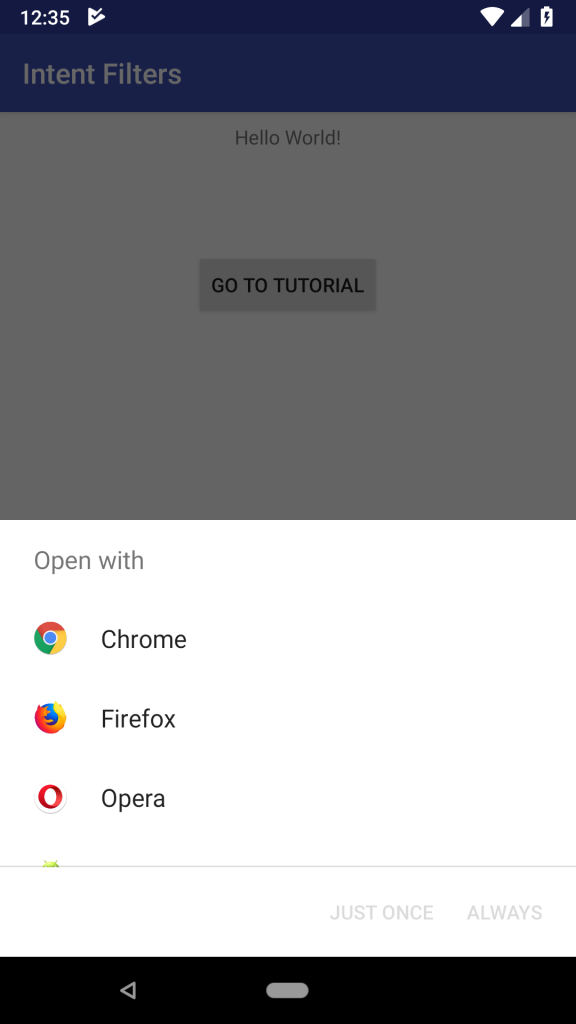 Intent filters specifies the types of intents that an activity, service, or broadcast receiver can respond to. It filter out intents that these components are willing to receive. When you create an implicit intent, the Android system finds the appropriate component to start by comparing the contents of the intent to the intent filters declared in the manifest file of other apps on the device.
-> generic action to perform (eg. ACTION_MAIN - main entry point) -> what kind of component that should handle the intent (eg. CATEGORY_DEFAULT, CATEGORY_BROWSABLE, CATEGORY_LAUNCHER) -> Declaes the data type accepted to be acted on. Can be just a URI, or both a data type(MIME type) and a URI.